Core Passkey Technology
Passkey technology has three facets that are all related and are often confused with each other:
- Web Authentication (WebAuthN) is the communication specification (or API) used to perform the authentication ceremony. It defines the messages passed between web servers (also known as Relaying Parties), web scripts running in the browser and calls to the browser APIs. The browser APIs expose two functions that are WebAuthN:
-
Authenticate (navigator.credentials.get()) — used to authenticate the user.
-
Create Passkey (navigator.credentials.create()) — used to create a new Passkey credential for a user.
-
FIDO2 is the full set of authentication technologies. It includes WebAuthN and continues deeper into the technology stack to include how the browser or operating system selects and communicates with any available authenticators
-
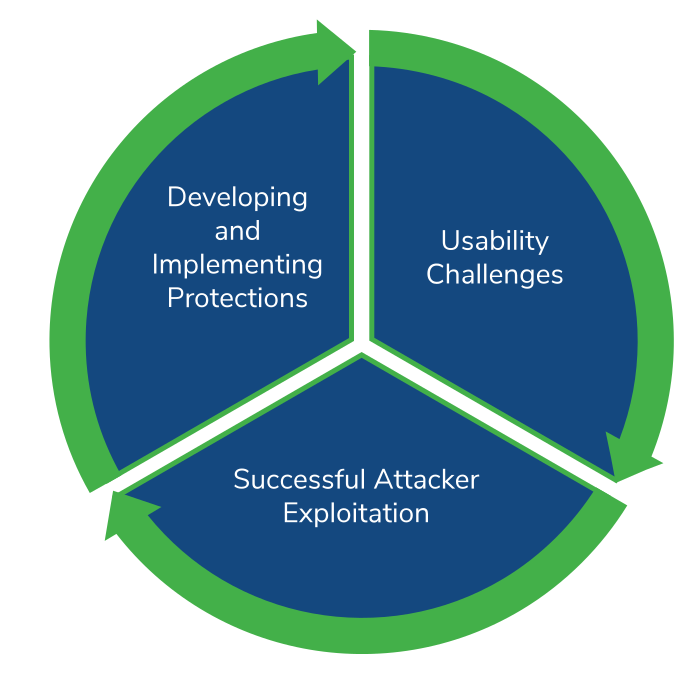
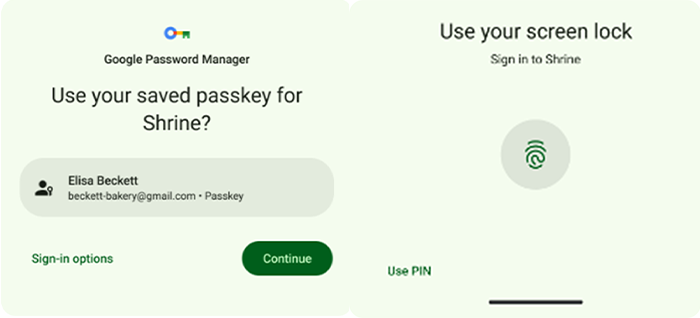
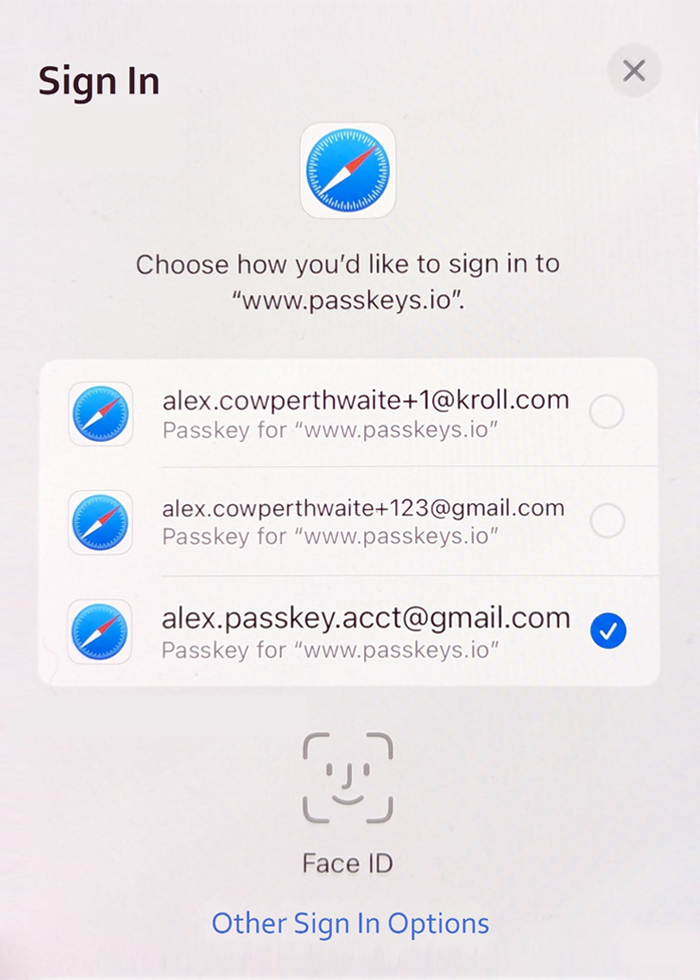
Passkeys are the implementation of FIDO2 by the major platform vendors, agreed upon by the FIDO alliance. The agreement to implement FIDO2 on these platforms allows for strong cross-platform authentication, which is available (or will soon be available) for most users. Passkeys also includes account-based recovery and credential syncing across devices, eliminating significant usability challenges that limited prior technologies.
“Passkeys” is preferred over “FIDO2” when the terms can be interchanged because the adoption by the major vendors is a key to Passkey’s success, and the term is more user-friendly.
Introducing Kroll PasskeyScanner
Passkeys have been adopted by the major platform vendors, incentivizing application developers to build Passkeys into their applications. Vendors such as Adobe, Amazon, Best Buy, GitHub, Google, PayPal, Shopify and TikTok have already deployed Passkey authentication.
Kroll’s Offensive Security team provides penetration testing and other offensive security assessments to clients globally. To ensure that we are equipped to properly assess Passkeys, we have developed proprietary methodology and tooling.
As part of this, we created a BurpSuite extension called PasskeyScanner that helps our security consultants evaluate implementations of Passkeys. This plugin is freely available in the Portswigger Bapp Store to contribute some of our efforts to the community. We also presented a talk at a HackFest event where we released this plugin and gave a more detailed overview of the Passkeys attack surface.
How Kroll Passkey Scanner Works
Kroll PasskeyScanner performs passive scans of network traffic to detect either of the WebAuthN transactions: create passkey or authenticate. It parses the requests and evaluates fields for secure configuration, best practice and correct implementation. The checks it currently performs are:
Verifying the Public Key Algorithms and Elliptic Curves
When a keypair is created for credentials, the Relaying Party and Authenticator must agree on an acceptable algorithm. This process starts with the Relaying Party sending a list of acceptable algorithms in order of preference. The algorithms are encoded using the IANA CBOR Object Signing and Encryption (COSE) algorithm registry. PasskeyScanner will scan this list and report unacceptable algorithms. The registry includes a “recommended” field, so we use this guidance as a starting point to determine which algorithms are acceptable. However, this approach is not perfect for two cases:
- Many algorithms are symmetric encryption algorithms, which are inappropriate for Passkeys. Symmetric algorithms are reported as a finding if they’re found in the list of supported algorithms.
- RSA PKCS v1.5 is a signature scheme based on RSA public keys that is still commonly used. The PKCS v1.5 structure has led to padding oracle attacks in several implementations of this format. RFC 3447 (2003) PKCS #1 RSA Cryptography Specification (#section-8) recommends that PKCS v1.5 is not adopted for new applications.
If the authenticator decides to generate an elliptic curve keypair for a credential, the public key is returned to the Relaying Party. The public key is CBOR encoded within the “attestationObject.” This plugin will decode the “attestationObject” and verify that the encoded algorithm identifier matches with the curve specified in the public key (e.g., the ES256 algorithm has a public key on curve SECP256R1). If an algorithm and public key curve mismatch is found, a finding will be reported.
User Verification
Passkeys provide a feature to enforce user verification during authentication. For users utilizing a mobile device, this is typically a biometric verification. If user verification is not “required,” we report a finding since this feature provides additional security if an authenticator is lost or stolen. Windows will often perform this verification by requiring the user to enter the login credentials, which may become a usability constraint on the user. The user verification being set to “preferred” will allow the passkey implementation to determine if user verification is required, which may be an appropriate balance of usability and risk for some applications.
Strong Authentication Challenge
To demonstrate proof of the secret key, WebAuthN requires the authenticator to cryptographically sign an authentication challenge. If the challenge is predictable or an attacker can bias the challenge string, the cryptographic strength of the authentication ceremony is weakened. WebAuthN requires that the challenge is at least 16 bytes (128 bits), and a length of 32 bytes (256 bits) is commonly implemented. If a challenge is less than 16 bytes, a finding is reported.
‘AllowCredentials’ Information Disclosure
The “AllowCredentials” parameter is an optional list that can be provided for the authentication operation. It specifies a list of acceptable credential IDs to the relaying party. It is intended to support “non-resident” or “server-side” credentials, maintaining retrospective compatibility with older WebAuthN authenticators. The “AllowCredentials” array is a list of credential objects that contain an ID and type field. With Passkeys, the credential type will always be “public-key,” but a system may also allow other credential types. If the relaying party provides a list of allowed credentials that includes a weaker form of authentication, such as “password,” this gives a threat actor useful information about which accounts to target in a password attack. If any credential type other than “public-key” is provided, a finding is reported.
User Handle Personally Identifiable Information
The user handle is the “ID” field of a user object that may be stored with the credential by the authenticator. To protect user privacy, a user identifier should not be personally identifiable information. An authenticator may reveal a user handle without verification of an authentication operation from the user, which could allow a script to perform user enumeration. This also prevents user enumeration attacks against a relaying party in which a user attempts to enumerate site users by seeking to authenticate many user accounts.
The Next Step in Authentication Tech
Passkeys are set to be a huge leap forward in authentication technology by providing a usable, secure and widely available option. Our team of security consultants is proud to contribute to this effort by working with Passkey deployments and ensuring our clients have implemented the most secure version of this technology.
Download Kroll PasskeyScanner extension now.